




This February, we are focused on giving both learners and administrators more flexibility. From providing learners with more choices in how they complete their learning paths to giving global organizations more control over their e-commerce configurations, here is a look at what has been added to the platform this month.
Week of Feb 2
Behind the scenes
- New assessment results API endpoints: Two new API v3 endpoints have been added to help administrators retrieve results for standard and SCORM assessments more efficiently.
- Catalog categories API: We have added the catalog_categories field to course-related API endpoints to provide better visibility into how courses are categorized.
- Catalog session fix: We resolved an issue where the catalog would not correctly display a user's enrollment status for courses with multiple sessions.
Week of Feb 9
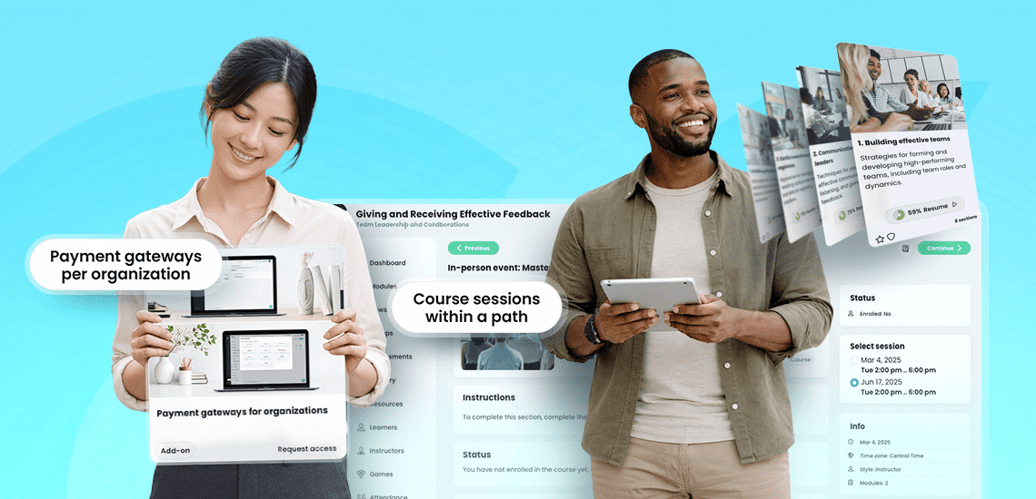
Offering child course sessions within a path
Instructors and administrators can now add parent courses or templates to a path while displaying all published child course sessions. This empowers learners to choose the specific session—based on date, time, or location—that best fits their schedule. Once the chosen session is completed, the path goal is automatically fulfilled.
Updated path navigation
To make the learning journey more intuitive, the path name now appears as a secondary header within all courses in that path. This provides a constant visual anchor and a one-click breadcrumb to return to the broader path view.
Assessment-level randomization
Saving time during assessment creation is now easier. You can now enable automatic randomization of answer choices for multiple choice and matching questions at the assessment level. This setting ensures that any newly created or imported questions are randomized by default, which is particularly helpful when importing large question banks via QTI.
Payment gateways by organization
For organizations operating across different regions, administrators can now configure separate payment gateways for individual organizations. This allows sub-organizations to support different currencies and use their preferred payment providers rather than relying solely on site-level configurations.
Behind the scenes
- Mobile and iPad experience: We resolved issues with mobile fly-up menus and recurring pop-up notifications on iPad to ensure a smoother mobile app experience.
- Survey reporting: To protect privacy, we have updated reporting to ensure that individual learner responses remain hidden for surveys marked as anonymous.
Week of Feb 16
CYPHER Agent for learners now includes Session setup
Learning with CYPHER Agent is now more personalized and intentional. Before generating content, the agent now launches a Session setup experience to align the session with the learner’s unique needs. Learners are prompted to describe their experience level, identify specific challenges, and define their goals. Based on this, the agent generates a tailored concept map preview for the learner to refine or approve before beginning. For those who prefer to dive right in, a "Skip setup" option is always available.
HTML widgets now available for the dashboard center panel
We have introduced new custom HTML widgets for the center panel of home, course, and group dashboards. These widgets offer greater flexibility for sharing announcements, embedding videos, or reinforcing branding. Users can now choose from two layouts:
- Wide HTML widget: Spans the full width of the center panel.
- Small HTML widget: Spans one-quarter of the width for a more compact look. The built-in HTML editor allows for full customization, and the widgets automatically adjust their height to ensure a responsive, clean layout.
Behind the scenes
- Office 365 calendar invites: Resolved an issue where calendar invites were not sending for platforms using Office 365 SMTP integration.
- Simple portal view: Fixed an issue that prevented users from editing the Simple portal view.
- Skills-to-goals integration: Resolved an issue where goals could not be added directly from CYPHER Agent-generated skills.
- Group notifications: Fixed an issue where group administrators received membership notifications even after canned message automations were removed.
Stay updated on product news
We release new features and refinements every week. For the most up-to-date information and a look at what is coming next, please visit our product news community on the Zoho Desk portal.
Visit the product news community


